

Custom artwork will appear printed on a physical gift card, or display as an image in our email gift card. To ensure that your image will upload and display clearly and correctly, use the following guidelines:
Image Dimension & File Format
Ideal specifications for custom card images are 974 pixels wide x 606 pixels high at 300 DPI (or similar), RGB color, and saved as a maximum quality .JPG or .PNG file (must be smaller than 1MB). Note: If the image is too small it may fail to display properly.
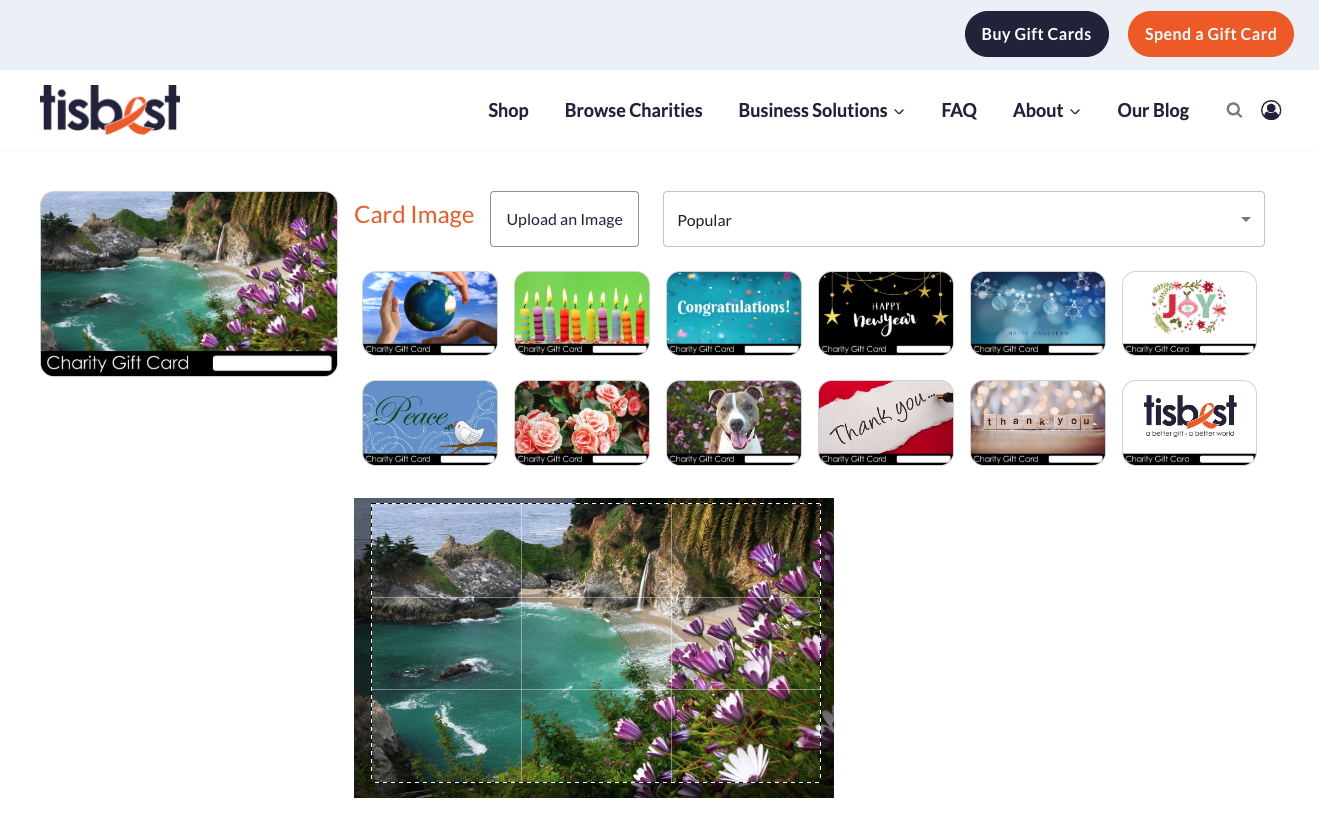
To preview how your image will look, click the Buy Gift Cards button on our homepage and then select the "Upload an Image" button. After uploading your image it will display as the card artwork in the upper left. Please note that a small part of the image will be obscured by a bar at the bottom that will contain the words "Charity Gift Card" and the unique 6-digit Card Code.
Trouble Uploading
If you are having trouble uploading a file, you'll want to double-check the extension to make sure it fits the guidelines we mentioned above. Typical problems to check for include:
Incorrect File Extension: must be .JPG, .JPEG, or .PNG
Size: confirm your file size is less than 1MB
Internet Speed: Your internet speed can affect the upload rate
Browser: If your browser old or out of date, try on a different one
How to Choose The Best Image
Best Practices
Charity Gift Cards are credit card size, so you'll want to use a picture that will look nice on a surface that size. Horizontal/landscape photographs display best on our cards.
Background Color
For physical cards, white backgrounds work better than dark backgrounds. Try to avoid large areas of solid color to assure accurate color reproduction on printed plastic cards. Digital options generally appear as-is.
Photoshop Template
If you are working in Photoshop to design your own artwork, download our charity gift card PSD template. If you're using Photoshop on a PC, right-click and save the file as ".psd."
........................................................................
If you're still running into issues, please email your artwork or image to info@tisbest.org